Concurrency
Keep-alive, multiple TCP connections, and goroutines
HTTP Connections
Loading a Page
- One page load is not one HTTP request
- Browser gets the HTML, then requests every CSS, JS, image, etc. needed to render the page
- Each resource needs its own request/response
- If every request opens a new TCP connection, the page loads slower than it needs to
TCP Connections are Expensive
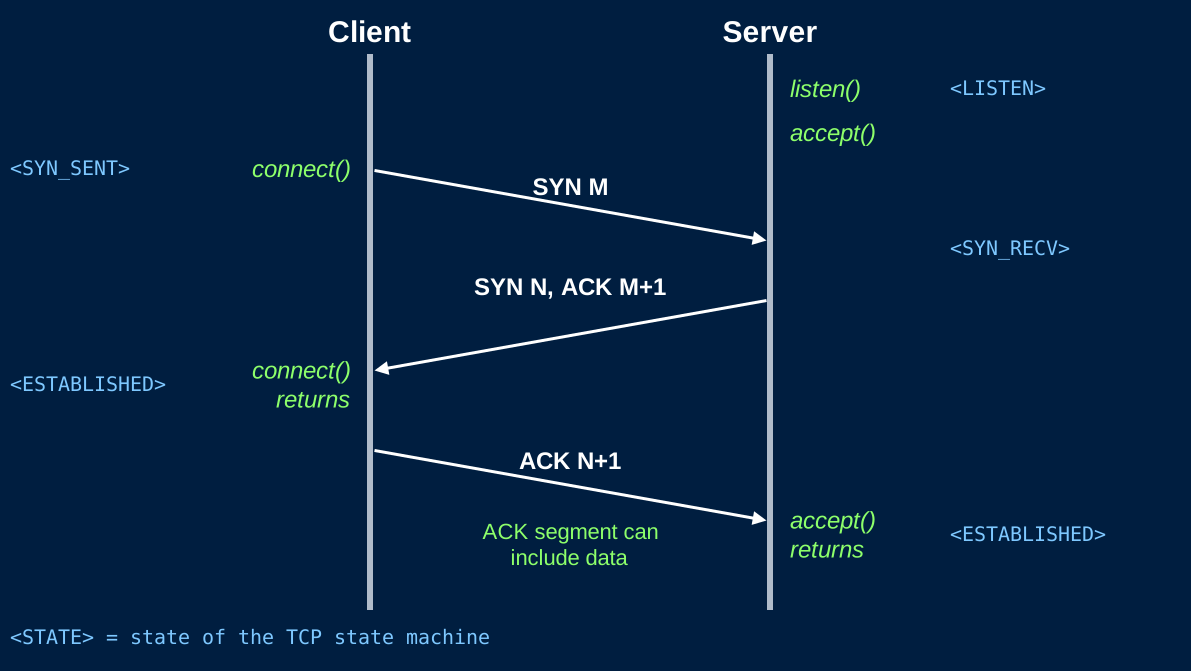
- A new TCP connection starts with a 3-way handshake
- 1 full additional round-trip
- The 3rd step of the handshake often contains a request
- That extra round trip happens before any of your content moves
- Even more expensive with encryption
Keep-Alive
Connection: keep-alive
- You'll see this header on most requests
- The browser is requesting that you keep the TCP connection open for subsequent requests
- Handshake once, then send as many requests/responses as you need over that single connection
- Default for HTTP/1.1
- The browser does not have to send
Connection: keep-alive, but clients often do
- The browser does not have to send
Connection: closemeans this is the last request on this socket
The Connection Header
- Both the request and the response can include it
- After a keep-alive response, do not close the socket
- Wait for the next request on the same connection
Connection: close
- Either side can end the connection
- After you send the response, close the TCP connection
- If you are going to close, send
Connection: closein the response so the client knows not to reuse it
Content Length
- Messages are delimited by their content length
- With
Connection: close, the socket can be closed after reading the body of the request [and sending your response] - That does not work with keep-alive
- The next bytes on the socket are the next request
Content-Lengthtells you exactly how many body bytes to read/write before the next request starts- If your
Content-Lengthis wrong, the next request on the connection is corrupt
The keep-alive Loop
- Accept a TCP connection
- Then loop:
- Read one full HTTP request (headers +
Content-Lengthbytes of body) - Send one full HTTP response
- If
Connection: close, or the client disconnect, break and close the socket - Otherwise, go back to step 1
- Read one full HTTP request (headers +
- This is still one request at a time on this connection
- The loop is per connection, not per server
Closing a Connection
- Several possible causes for a closed connection
- Client sent
Connection: close - Client closes their browser
- No request is sent. You need to detect this
- Server decides to close (idle too long, error, done with the client)
- Network error
- Client sent
- Your server needs to handle a closed socket gracefully
Readreturns an error / EOF- Stop looping, close your side, return
Keep-alive is Still Sequential
- On one TCP connection, HTTP/1.1 is request then response then request then response
- The CSS request waits until the HTML response is done
- A slow response holds up everything else on that connection
- Keep-alive removes handshake cost. It does not make requests parallel
Multiple Clients
Multiple Clients
- Your app will have more than one user [hopefully]
- Need to maintain connections with all clients simultaneously
- If your server handles one connection at a time, everyone else waits
- If that connection respect keep-alive, they may be waiting for a very long time
- Handle this with concurrency
Goroutines
- A goroutine is a lightweight thread managed by Go
- Cheap to create: Use one per connection
go handleConnection(conn)starts the function and does not wait for it- The accept loop immediately goes back to waiting for the next client
- Be sure to end the connection and goroutine when a client disconnects